
Facebook, now and then introduces new
features to comfort its users but, this time unfortunately Facebook has
disappointed most of its users by introducing an awful update to the
chat feature. Most of the user including me are really pissed. This new Facebook chat
takes all of the space on your screen by showing all of your friends.
You all might be interested in knowing how to get rid of this screen
scraper and get back to the old chat.
Some of you might think that this will
hide the side bar, it is to inform you that this will NOT hide the side
bar. It will fix your chat back to original one. We are here to deliver
you a simple way to do that. Follow the simple steps below and get rid
of new Facebook chat.
Mozilla Firefox users:1. First install this add-on. To install click on the button as highlighted in the image below.

2. Then install this script . To install click on the button as highlighted in the image below.
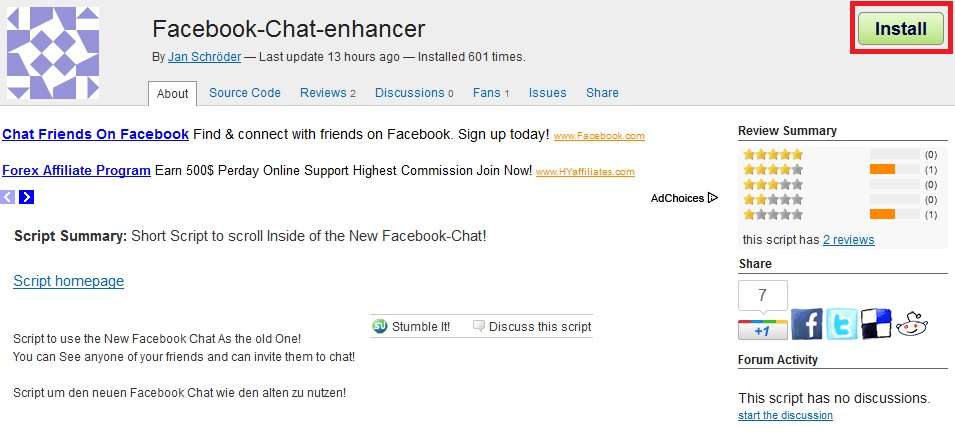
3. Now just restart your browser to get back your old Facebook chat.
Having Problems ?
Some Users with Firefox 5 have
experienced issues while installing the add on. If you are facing any
problem trying to install the ‘add on’ then scroll this add on page
to the bottom and click on “add to Firefox” button as shown in the
image below after that follow the second step mentioned above.

1. Just install this script and restart your browser to view changes.
As for the Internet Explorer user, we will soon post the way for you too, so stay tuned.


No comments:
Post a Comment